Gesture drawing practice for iPad and iPhone
The gym opens soon
A little practice goes a long way.
Be first to know when Gesture Gym opens.
Pick a workout
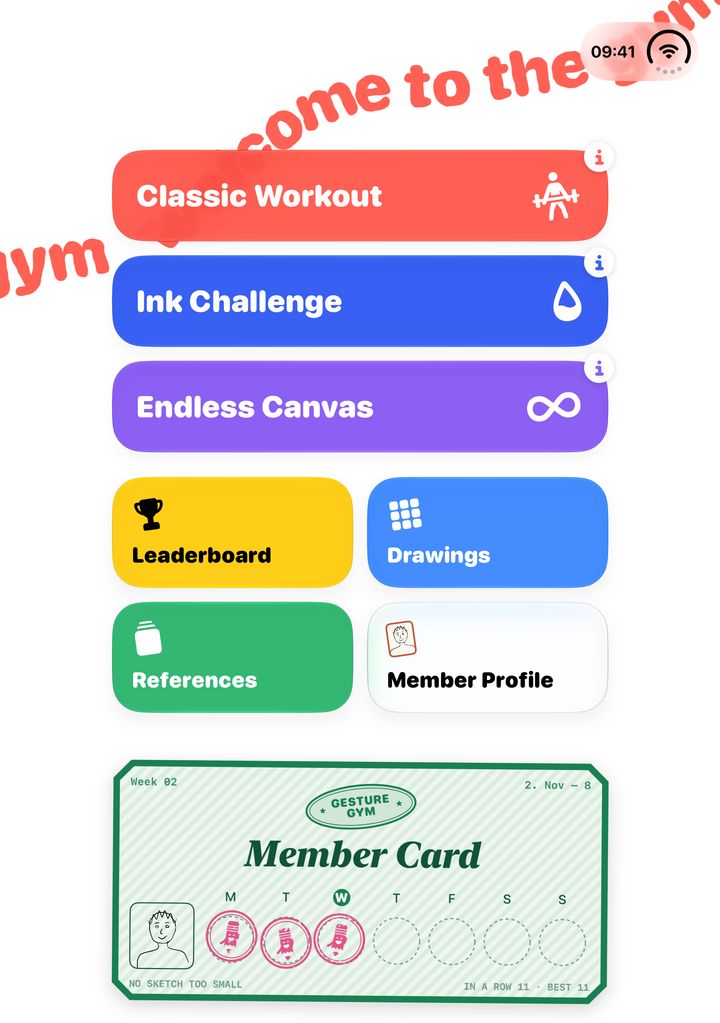
Every visit starts with a choice. Each one’s a different way to loosen up your hand.
- Classic Workout Timed poses, from 10 seconds to 5 minutes each.
- Ink Challenge Each drawing gets only so much ink. Make every line count.
- Endless Canvas A canvas without edges, and no clock. Draw for as long as you like.
Real references, on the clock
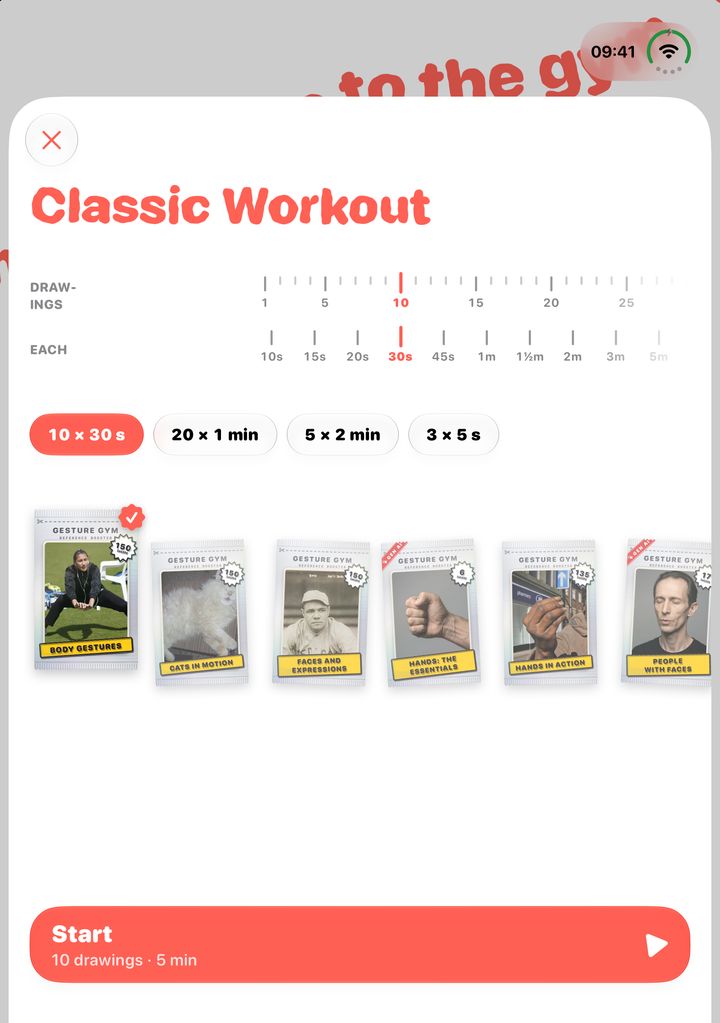
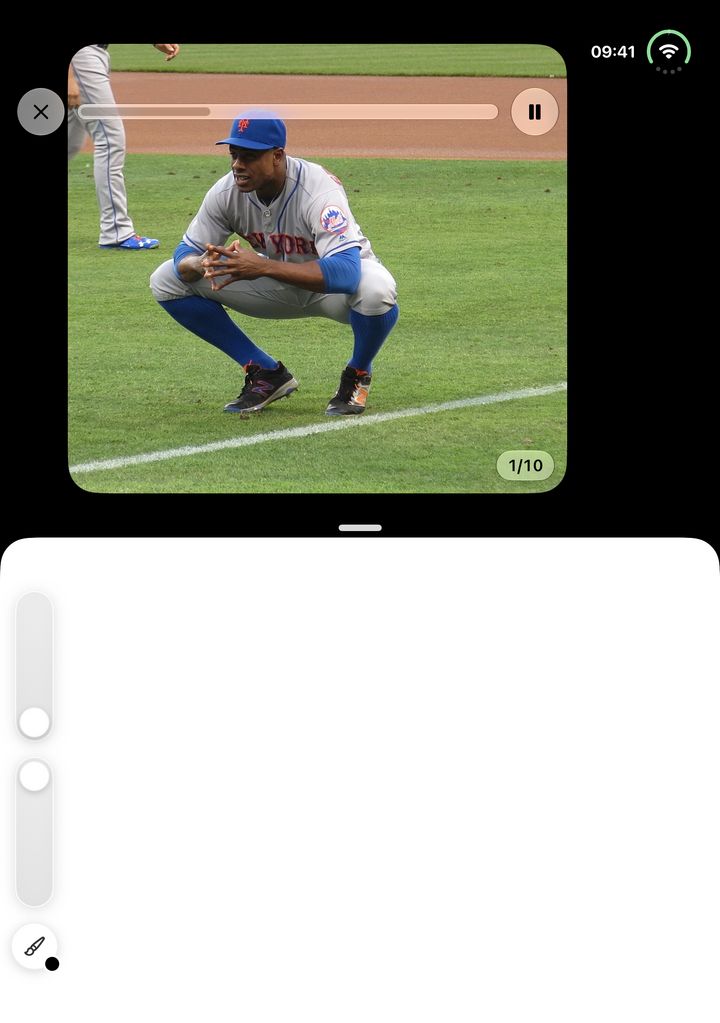
Choose how many drawings and how long each, then pick your packs. A photo up top, your canvas right below: go for the gesture, not the details. When the time’s up, the next pose is already there.
Made for Apple Pencil, while a finger moves and zooms the canvas. Or draw with your finger, too.
Rip open a pack
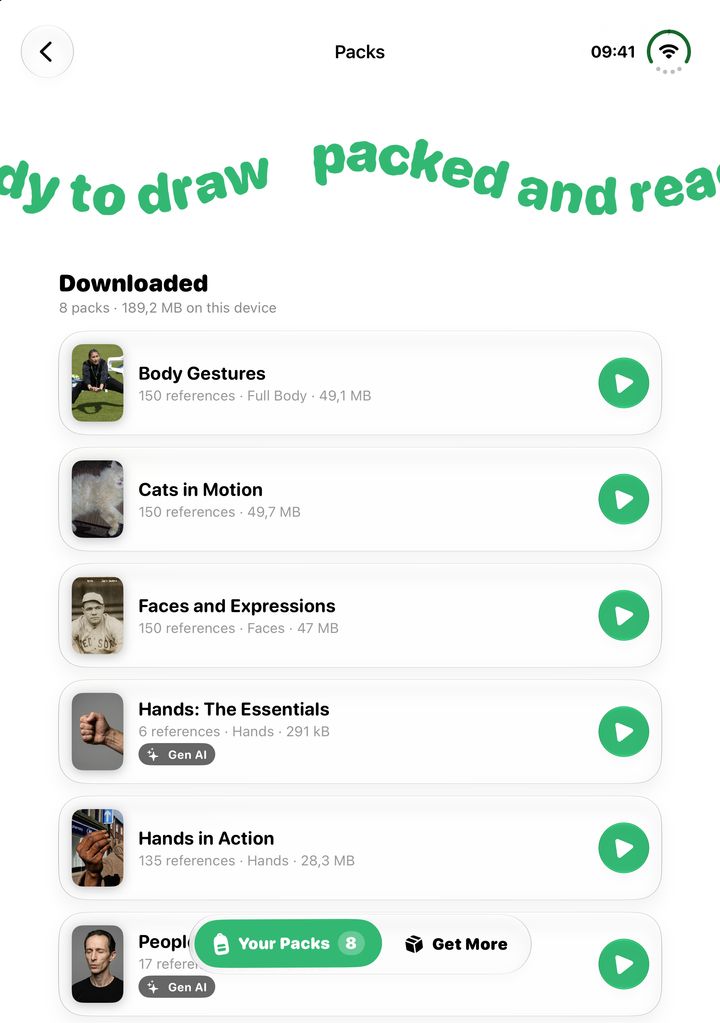
References come in packs, up to 150 photos each: body gestures, hands, faces, people, cats in motion. Download the ones you want to draw from.
Members can make packs from their own photos. They stay on the device.
Every drawing, kept
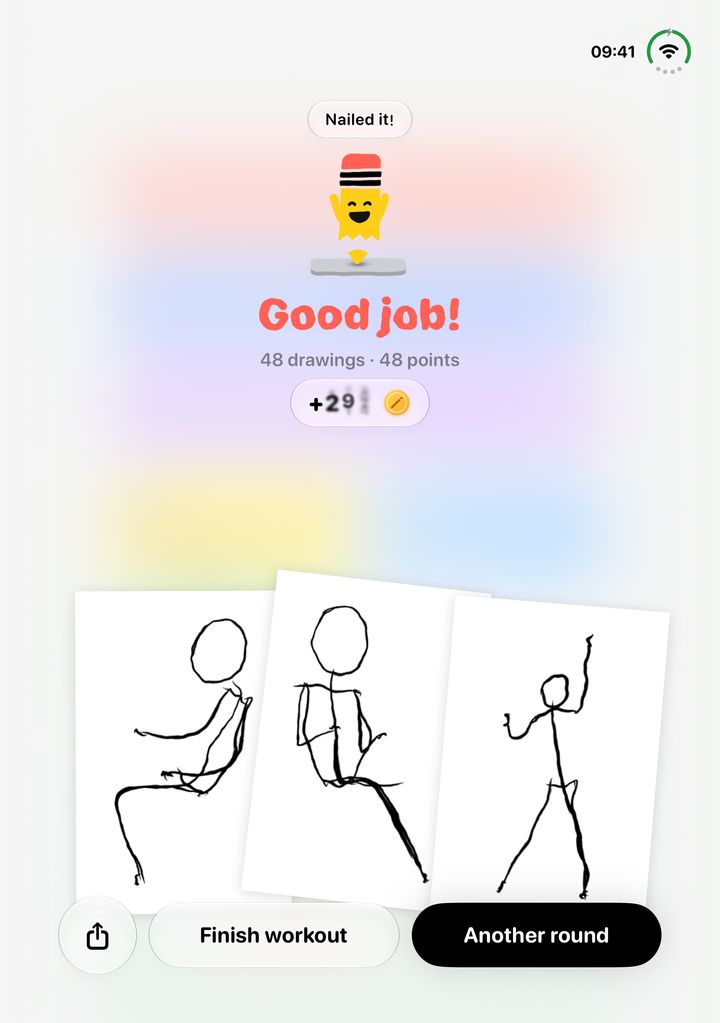
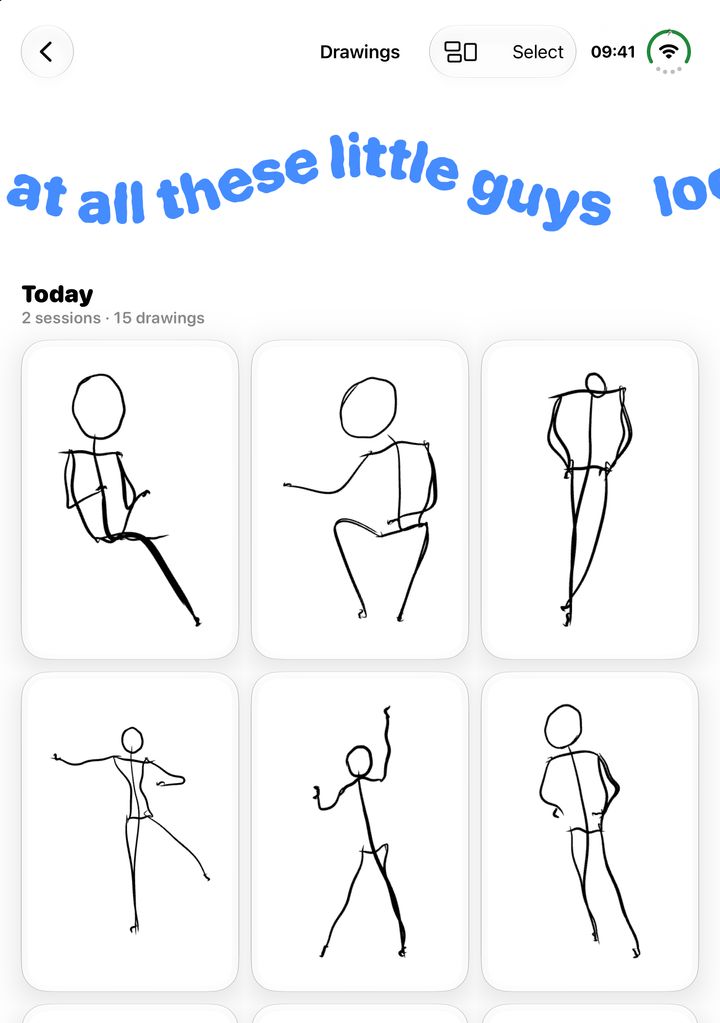
After a round, your drawings fan out on the table, and the mascot cheers. Then they’re filed away, round by round, and synced with iCloud.
Share the ones you like as pictures, or as a video of them being drawn.
Show up, get stamped
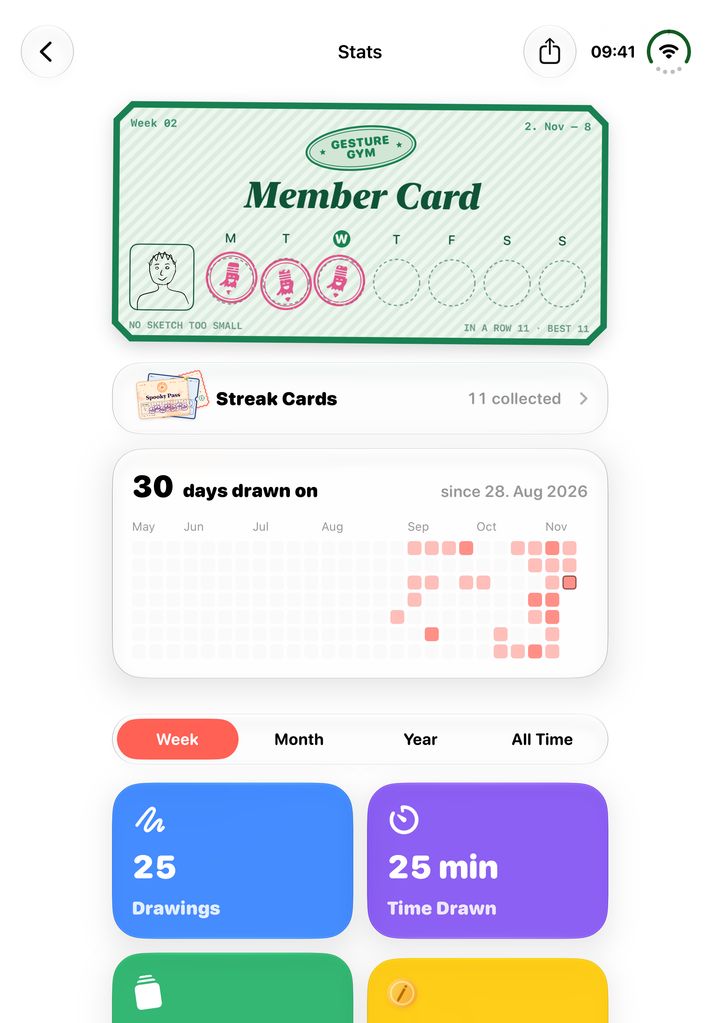
Draw on a day and it gets a stamp on this week’s member card. Keep a streak going, collect streak cards, and watch your numbers move: days drawn, drawings made, time spent.
Drawings with enough ink earn coins for the weekly leaderboard, with Game Center.
Free to practise. Better as a member.
Practising is free, always. Members get more out of it, and keep the gym going.
- Stats for the month, the year and all time
- As many endless canvases as you like
- Packs from your own photos
- App icons for your Home Screen
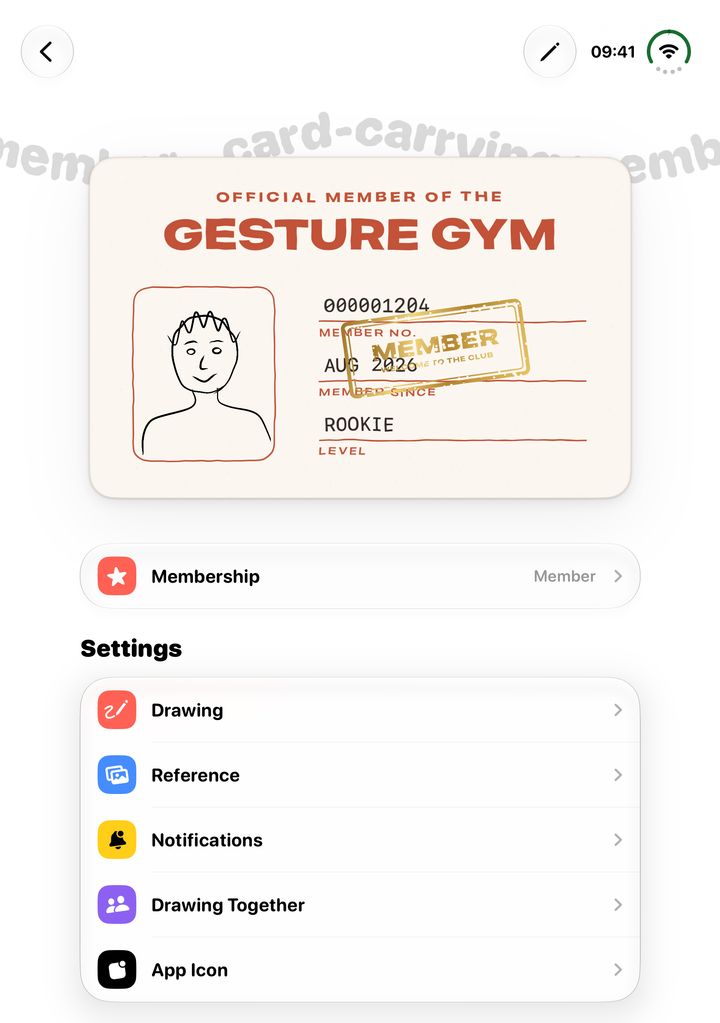
- A gold MEMBER stamp on your card
And a few more things
- Draw together Invite friends to an endless canvas over SharePlay.
- Weekly leaderboard Earn coins with your drawings, with Game Center.
- iCloud sync Your drawings on your iPad and iPhone.
- A daily nudge A reminder on days you haven’t drawn yet.
- Private by design No ads. Your drawings are never sold or used for anything else.
- Light and dark The canvas turns dark with your device, if you like.
Questions
What is gesture drawing?
Quick drawings of a pose, usually from 30 seconds to a few minutes each. Instead of outlines and details, you go for the movement: the line of action, the weight, the twist. Done often, it’s one of the best ways to get better at drawing people, animals and anything that moves.
What is Gesture Gym?
A drawing practice app for iPad and iPhone. Pick a workout, and Gesture Gym shows you photo references one after another, on a timer, with a canvas right below to draw on. Your drawings are kept, your practice days get stamped, and a little practice each day adds up.
Do I need an Apple Pencil?
It’s made for Apple Pencil, but you don’t need one. Turn on drawing with a finger in Settings, and draw with your finger on iPad or iPhone.
Is Gesture Gym free?
Practising is free, always. A membership gets you more out of it: stats for the month, the year and all time, as many endless canvases as you like, packs made from your own photos, and app icons. And it keeps the gym going.
Where do the references come from?
From packs you download in the app: full-body gestures, hands, faces, people, cats in motion and more, each with up to 150 photos. A few packs are AI-generated, and they’re tagged so you always know. Members can also make packs from their own photos, which stay on the device.
Can I draw with friends?
Yes. Invite friends to an endless canvas over SharePlay, and draw on it at the same time.
When does Gesture Gym open?
Soon. Join the newsletter, and you’ll be the first to know when it’s on the App Store.
The gym opens soon
Be first to know.
Join the newsletter